
What if most of your SAP texts could be translated fully automatically – and you knew exactly which ones need human review, and why? With the new LLM integration in i18n Translation Manager, our SAP-certified add-on, that’s how SAP translation works now. We think it’s the best way to translate SAP texts.
The Trouble with SAP Texts
Over the past few years, LLMs have become very, very good at translating long-form texts. But for user interface texts, which are often very short strings that do not offer a lot of context, the translation quality you get from a machine has not always been great. And SAP may have the most difficult-to-translate user interface texts there are – they are full of special cases, punishing length limits and heavy abbreviations.
This has made it nearly impossible to fully automate the translation of Z transactions, custom-developed Fiori apps, Customizing entries, or forms. You have always needed a translator or subject matter expert, and we think you still do. But with i18n Translation Manager, fully automated translation is now not only possible for the vast majority of your SAP texts, it is simply the best way to translate them.
Your SAP System Has the Context
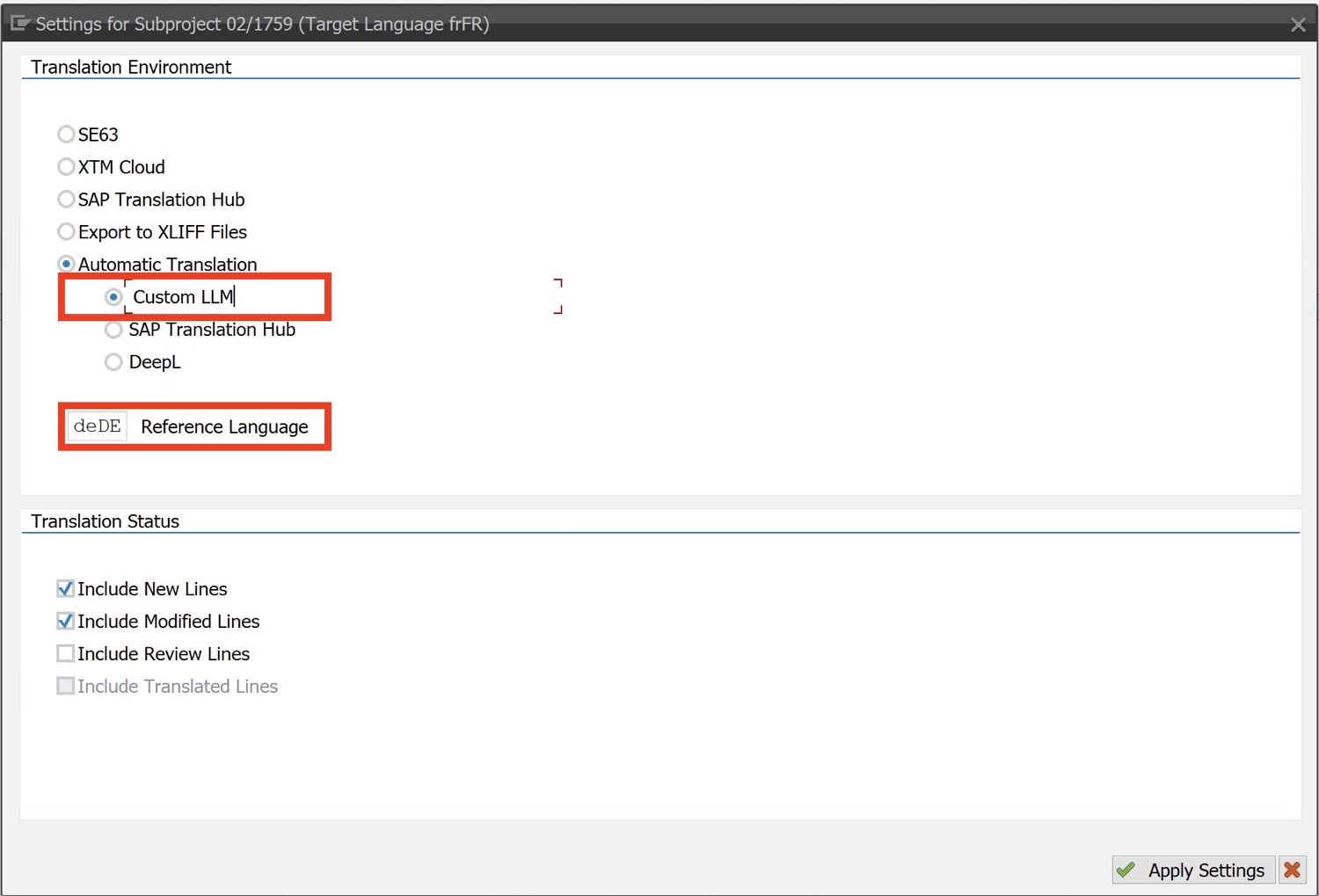
We’ve always thought that SAP translation has to be run from within an SAP system. But when you use an LLM to translate, this is more true than ever. Your SAP installation, in combination with i18n Translation Manager, has all the context an LLM needs to produce accurate translations.
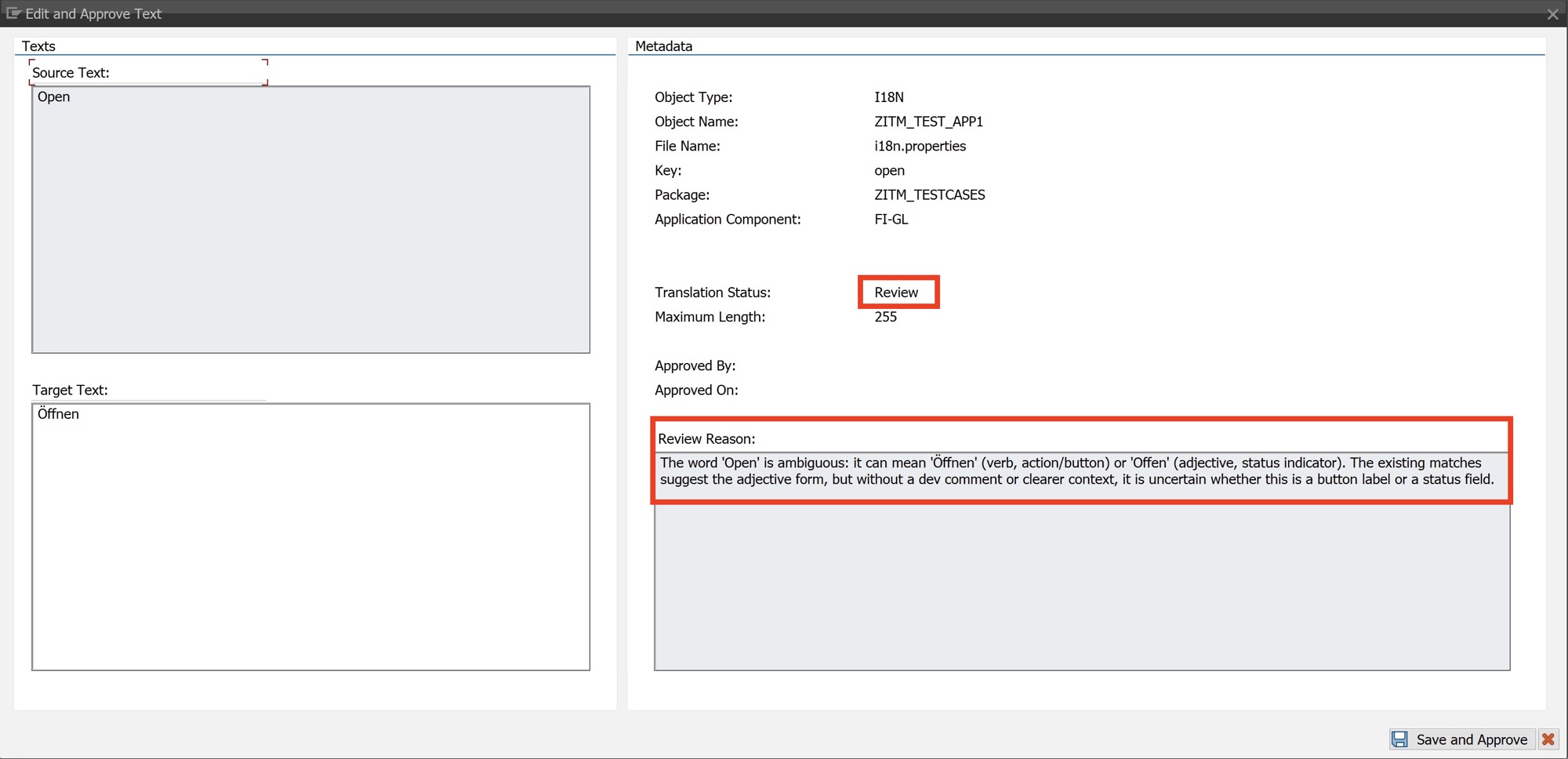
For each text, you have its translation history and the other texts in the same object. You can also reference any existing translations in other languages. For example, a text like “Open” is ambiguous in English (it can be a verb or an adjective), but if it already has an approved German translation – “Öffnen” for the action or “Offen” for the status – the LLM can use the German translation to find out the intended meaning. You know its relationships to other objects and the role it plays in the user interface. Even SAP standard terminology is available through SAPterm, ready to look up and include in the context. All you have to do is connect it all up.
Decades of Translator Experience, Funneled into Prompts
And that’s what we did. i18n Translation Manager assembles all of that context, adds in the terminology you upload to its integrated terminology database, and funnels it into the prompt for the LLM. But while all that context is essential to producing good translations, it’s not sufficient – on its own, the resulting texts would still not be fit for purpose in an SAP system. So we went one step further and poured decades’ worth of SAP translation expertise into the prompts that are sent to the LLM.
For each text type, an SAP translator needs to know how to translate it. For example, the texts in a data element are length variants of each other. Placeholders in messages follow certain rules that need to be observed. In short, each text type has its own translation rules. Combined with a style guide – which includes, for example, instructions on how to abbreviate a text when the ideal translation does not fit the available space – these rules form the basis for translation prompts that really produce excellent results.
Getting the Human Back into the Loop
In any SAP implementation, there are texts that are fairly easy to translate and that a translator can breeze through. Other texts are tricky, maybe ambiguous, but can be solved with some research and a look at the context. But the toughest nuts to crack are texts that stump even expert translators. Sometimes the available context is not enough to tell which of two possible translations is the correct one. Sometimes there is an abbreviation that cannot be deciphered without asking a developer. And sometimes the translation you want to use is too long, but there is no good way to abbreviate it and still convey its meaning.
For these toughest of texts, the right call is to let a human expert decide – someone who knows more about the text, or who can go and ask the developer or the colleague who requested the feature. With i18n Translation Manager, the LLM flags for human review any translation it is not confident about – and tells you why. Your translators or subject matter experts can then review these flagged texts and either approve or change their translations. This means your colleagues review the texts that matter and don’t spend time on texts that an LLM can translate for them.
Fast, Cheap, Good: Pick All Three
With i18n Translation Manager, you no longer have to pick just two of fast, good, and cheap. When you combine the context from the SAP system, the specific domain knowledge that only SAP translators have, and the right terminology with a human review step for the most difficult texts, you get great translation quality. Automated translation reduces costs by an order of magnitude by cutting manual effort. And i18n Translation Manager optimizes its prompts to keep token costs low. Context that repeats across texts is structured so providers can cache it, and anything that can be computed in ABAP is never sent to the model.
And speed? i18n Translation Manager takes speed out of the equation entirely. That’s because its translation runs can be scheduled as background jobs. It matters very little if a big translation job only completes after a few hours – after all, it’s fully automated. Once it’s done, you can assign the review work and, in the meantime, start the next job. This asynchronous approach allows us to optimize for quality instead of latency, and you can do other things while it’s working.
Calling the LLM Is the Easy Part
But even with the best prompts, calling an LLM is the easy part. The hard part is knowing which texts need to be translated, which have changed and which translations your team has already approved. That’s what makes translation manageable at scale – and this is what i18n Translation Manager was built for.
You can create translation projects based on transport requests, packages, Git repositories, transactions, or Fiori apps, and ensure that the right texts go into translation. And i18n Translation Manager integrates into SAP’s transport management and into Git, which means you can deploy translations in a way that fits your change management process.
When you automate translation, it can be tempting to just “translate everything”. But scoping your project pays off. You’ll keep token costs in check, and your translators or subject matter experts will thank you for sparing them texts your users will never see.

Fully Tracked and Versioned
i18n Translation Manager is the database that holds your translation history. For every text, the translation status is tracked so that the translations your team has approved stay in place and nothing is translated twice. Only when the source of a previously translated text changes does that text lose its “Translated” status. You can also always go back and find out who changed a translation, and when. This puts you fully in control of your translations.
And your translations are not only tracked, they’re also versioned. That means you always have the option of correcting translations or restoring an earlier translation state. If you’re on a tight deadline, say before a User Acceptance Test, there may not be enough time to review all the texts flagged by the LLM. In that case, you can even deliver the generated translations without losing any sleep. After all, you can perform the review later and deliver your corrections using the Correction Projects feature introduced earlier this year.
Your Model, Your Data, Your Choice
LLMs come in all shapes and sizes. Your organization may have approved one designated AI provider for your teams to use. With i18n Translation Manager, you can use a model from that same provider to translate your SAP texts. i18n Translation Manager comes with a reference implementation that works out of the box and uses a Claude model from Anthropic as its backend. But you don’t have to use this default.
That’s because it also comes with a BAdI that you can implement to connect any model from any provider. You need a good general-purpose model of the right size, but it does not really matter whether you use Claude, GPT, Gemini or even an open-weights model. Whatever model you choose, only texts and their translation context are sent to it – no transactional data – through a connection you control.
With i18n Translation Manager, you get the right context, the right process, and the right tool to manage it.
Read more on i18n Translation Manager…