
Last week, SAP re-certified our add-on for SAP S/4HANA 2025.
In SAP’s new nomenclature, it is certified for clean core with SAP S/4HANA Cloud. This new version is a major release that has been in the works for almost 18 months. We may yet do a deep dive into some of the new features in a separate blog post, but here’s an overview of what’s new in i18n Translation Manager for SAP S/4HANA 303_816.

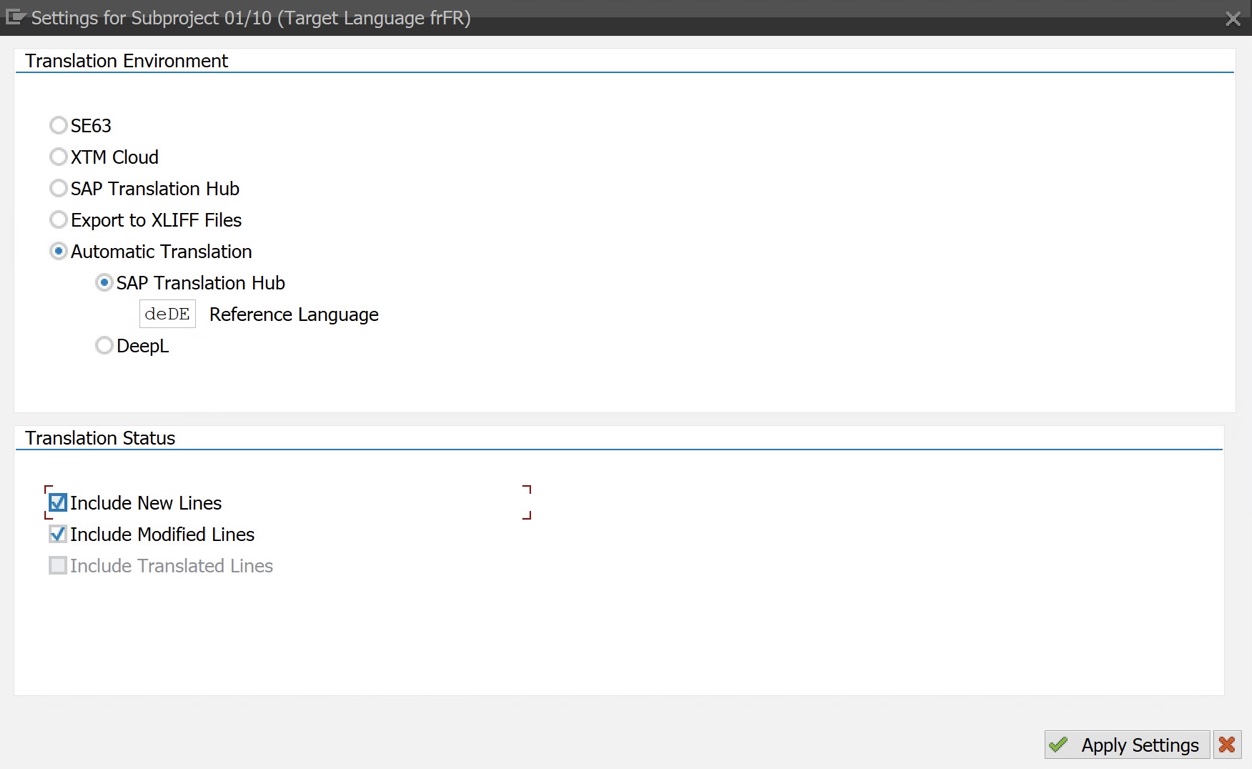
Automatic Translation and DeepL Integration
You need a quick way to translate SAP texts? i18n Translation Manager now offers automatic translation. Using either of two new translation environments called Automatic Translation - SAP Translation Hub and Automatic Translation - DeepL, you can now run the texts in your translation projects through SAP Translation Hub or DeepL to generate translations using AI in all SAP-supported languages.
Automatic translation is, admittedly, a “quick and dirty” approach to translating SAP texts, but there are instances where speed matters more than quality. We think that human-reviewed translations will still be the preferred approach in most projects, and that’s what our existing translation environments are for. With XTM Cloud, SAP Translation Hub or XLIFF export, you can easily set up a translation process that includes a review step. But if you need a quick solution, automatic translation is here for you.
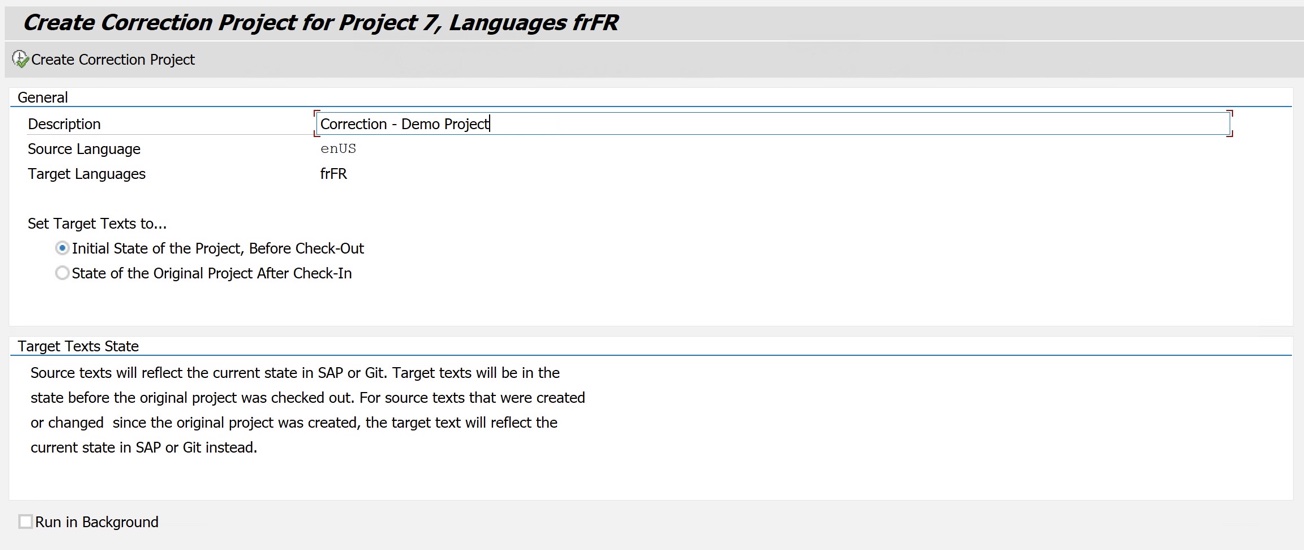
Correction Projects and Translation Rollback
But what if you translated your SAP texts automatically using DeepL, shipped a language transport to a test system, and your testers are unhappy with these AI-generated translations? That’s what correction projects are for. You can copy the project you just shipped, either to make spot corrections to the translations you created, or to roll back all the translation changes that you made.
Correction projects are your “Undo” button. Thanks to this new feature, you can safely try out an AI-based translation approach, knowing you can always reverse the results if your testers do not like them. You can also use a “straight to testing” approach, where you generate translations, and instead of reviewing the translation before deploying them, you ask the testers to review the translations during testing, directly on the user interface. You can then implement the translation changes requested by the testers using – you guessed it – a correction project.
Text Display and Drilldown
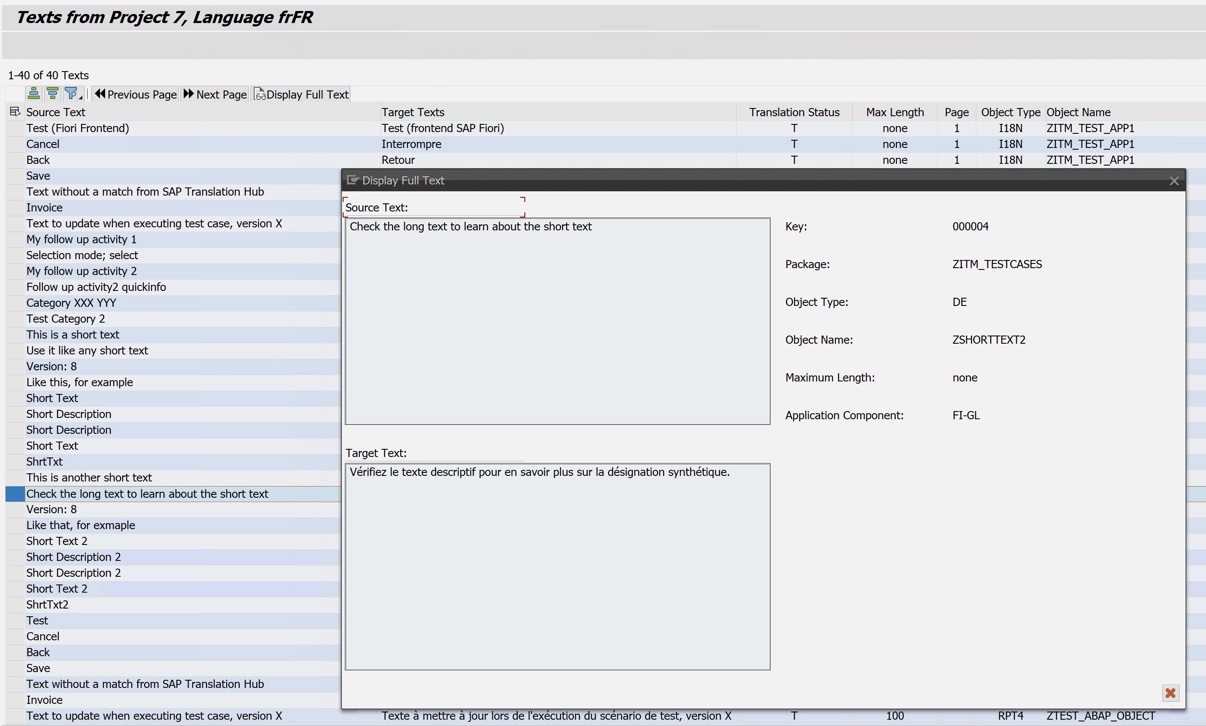
If you need to translate an object – it’s not enough to see the metadata – you want to see the texts. In the new version, you now can display the texts of each object directly in the app. You can call up all texts in a project from the initial screen and filter by source text and object type. You can also drill down from any object in the Objects screen to display its texts.
This gives translation managers a quick way to verify how specific texts were translated after they have checked in a project, by searching for a specific text. And before translation, it’s now much easier to determine if an object should be included in the translation scope, by drilling down on an object to get a look at its texts.
Improved Transport Integration
Translations are shipped via language transports, and in the new version of i18n Translation Manager any translation changes are automatically recorded in a transport request when you finalize a project. You can either enter a transport request created from Solution Manager, for example, or select to automatically create a new one. For backend objects and Customizing, only the translations are transported, not the actual objects. For Fiori apps, locks on BSP applications are respected and handled the way you would expect.
This reduces friction in translation projects and allows you to run a translation process that is truly end-to-end. In the previous version, similar functionality had been in place, but it only covered i18n.properties files from Fiori apps, not backend objects and Customizing. To record changed backend objects in a transport request, you needed to run an SAP standard report after finalizing a project.

PDF Translation
One of the features our customers requested most frequently was support for translation of Adobe PDF forms. PDF forms are part of almost every S/4HANA implementation now, and companies need to translate them. Now they can – PDF forms can be translated in all supported translation environments, from XTM Cloud or SAP Translation Hub to automatic translation using DeepL, for example.
We think this new feature will make translating for global rollouts quite a bit easier and eliminate media breaks. And while not all UI texts for PDF forms are maintained in the form object itself, the other text types typically used on PDF forms have already been supported before. Examples include SO10 texts, text tables, Customizing entries, and text modules.
Expanded Long Text Support
Long texts have never been easy to translate, and it’s not even always clear what long texts are. We have used “long text” to describe any text that cannot be translated in the short text editor in SE63. That includes SAPscript-based texts (F1 Help, SO10 texts etc.), Smartforms, Layered Repository texts, dialog texts and many more. The new version of i18n Translation Manager now significantly expands the support for long texts.
In the previous version, you were able to push long texts to XTM Cloud or export them to the XLIFF format, but other than that, support was limited. Now you can do quite a bit more with long texts. You can translate them on SAP Translation Hub and auto-translate them via DeepL. You can display the actual text content via the Text Display feature, and when you export the texts from a project for review, long texts are now included.
Read more on i18n Translation Manager…